 微物联研究院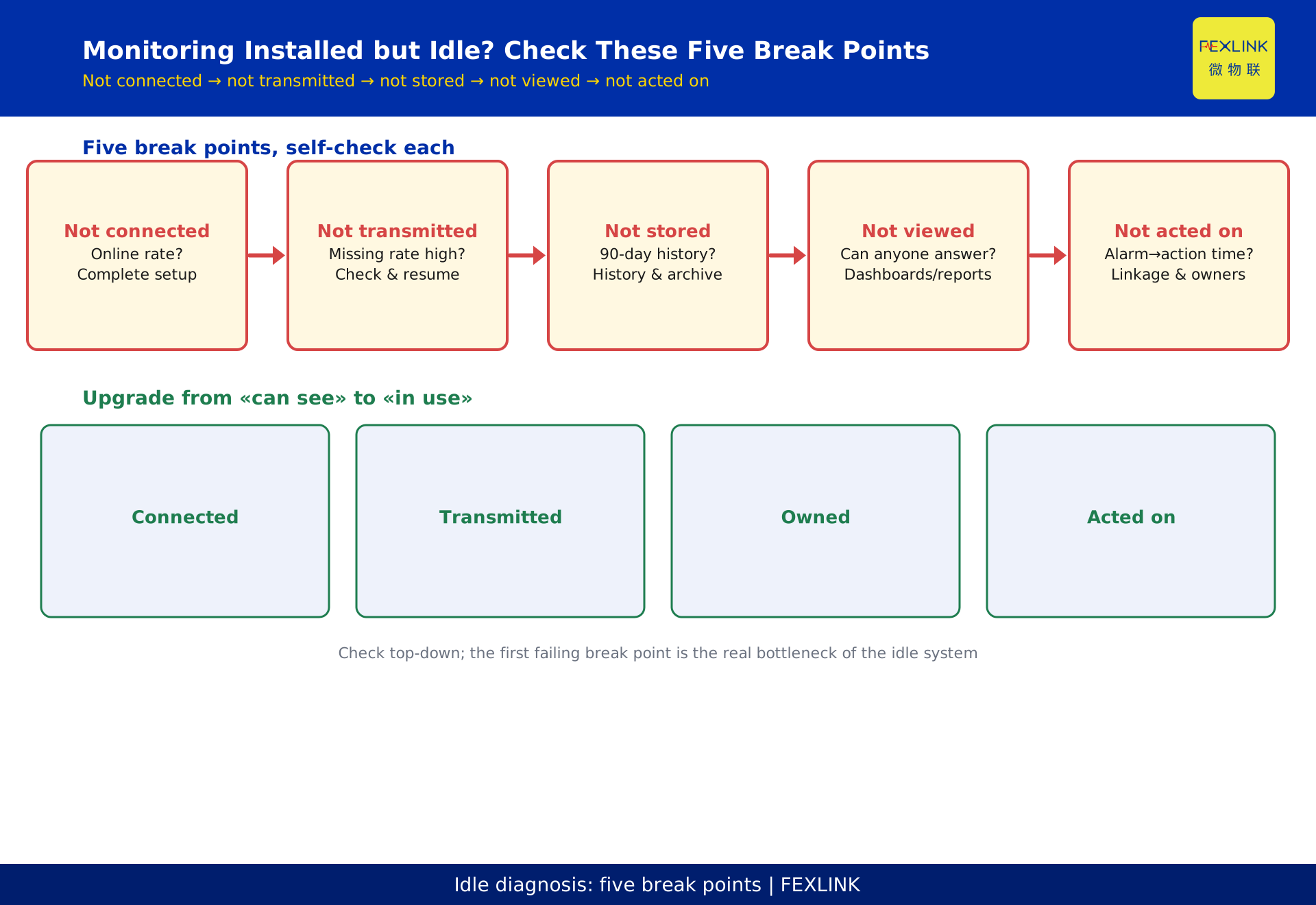
# Electrical Monitoring Installed but Idle? Check These Five Break Points
Direct Answer
When an electrical monitoring system sits idle after installation, the root cause is usually not broken devices but the data chain breaking at five common points: installed but not connected, connected but not transmitted, transmitted but not stored, stored but not viewed, viewed but not acted on. Check segment by segment and upgrade "can see" into "connected, transmitted, owned, and actionable" — then the system is truly in use.
For project owners, operations leads, and teams that have built systems without results, this article provides an idle-diagnosis checklist: what each of the five break points looks like, how to self-check, and what to add.
Break Point 1: Installed but Not Connected
Symptom: devices are installed but not connected to the platform or configured for communication; data never reaches the system.
Self-check: open the system and look at "device online rate" — if the share of online devices stays low for long, check communication configuration, address conflicts, and gateway connections first.
Fix: complete device onboarding and gateway configuration so "devices are online and data is on the system."
Break Point 2: Connected but Not Transmitted
Symptom: devices are online but data is not uploaded continuously, or uploads are intermittent.
Self-check: look at the "missing-data rate" — if a circuit's 30-day missing rate exceeds an acceptable threshold, the acquisition/transmission link has a problem.
Fix: check sampling-period configuration, network stability, gateway buffering, and resume-after-interruption capability.
Break Point 3: Transmitted but Not Stored
Symptom: data displays in real time but has no history storage, or storage is unmaintained; trends cannot be reviewed.
Self-check: can you query a curve from 90 days ago? If only real-time is viewable and no history, the data asset has not been accumulated.
Fix: confirm the platform's history storage and archiving strategy so "today's data" becomes a "reviewable asset."
Break Point 4: Stored but Not Viewed
Symptom: data is stored but nobody looks at it — no dashboards, no daily reports, no duty attention.
Self-check: ask the operations team "which circuit had the highest temperature last week" — if they cannot answer, nobody is viewing.
Fix: configure dashboards for critical circuits and daily/weekly reports, turning "data" into "operational items someone watches."
Break Point 5: Viewed but Not Acted On
Symptom: someone views it but nothing follows — alarms do not link to work orders, notify responsible staff, or trigger protection.
Self-check: how long did the last important alarm take from detection to handling? Was any responsible person notified?
Fix: configure alarm grading and linkage (work orders/SMS/owners), linking breakers/control devices to execute protection when necessary.
The Five-Point Self-Check Table
| Break point | One-line check | Corresponding fix |
|---|---|---|
| Not connected | What is the online rate? | Complete onboarding and gateway |
| Not transmitted | Missing rate over threshold? | Check period/network/resume |
| Not stored | Can you query 90 days? | Configure history and archiving |
| Not viewed | Can anyone answer last week? | Configure dashboards and reports |
| Not acted on | How long alarm to handling? | Configure linkage and owners |
Check the table top-down; the first failing break point is the real bottleneck of the idle system.
How the Digital Electrical Intelligent Supervision System Maps to This
FEXLINK's digital electrical intelligent supervision system covers the full chain from onboarding to action: sensing-device onboarding, gateway upload, platform storage and dashboards, alarm grading and linkage. Verifying the five break points against the system configuration resolves most "idle" problems at the configuration layer rather than rebuilding.
Typical Field Scenes for the Five Breaks
- Break one (installed, not connected): the device is mounted and its indicator lights up, but the CT is not clamped and the current leads are not wired — the platform shows the device with no data and reports "offline" with no findable cause;
- Break two (connected, not transmitting): the device reads data locally, but the gateway channel is not configured or the network is down — the site screen has data, the platform is empty;
- Break three (transmitting, not storing): data arrives, but archiving policy is not configured or storage is full — history has gaps and trend analysis has nothing to work with;
- Break four (stored, not watched): data is stored but there is no dashboard, no alarm rule, and nobody opens it — the database grows while problems remain unnoticed;
- Break five (watched, not acted on): someone sees the alarms, but there is no handling process and no responsible owner — alarms are glanced at and forgotten; hazards never close out.
Checking the five scenes side by side locates the break in about five minutes.
How the Supervision-System Configuration List Maps to the Breaks
When deploying with a digital electrical supervision system, configuration actions map one-to-one to the breaks:
- Fix break one: a commissioning checklist — power on, CT clamped, current leads torqued, parameters downloaded — verified before commissioning;
- Fix break two: gateway alignment — protocol mapping, channel config, reporting frequency, network connectivity;
- Fix break three: storage policy — archive period, compression, retention, backup;
- Fix break four: dashboard and rules — circuit overview, alarm thresholds, tiered notification, daily and weekly reports;
- Fix break five: action loop — alarm owner, handling deadline, review mechanism, monthly retrospective.
Every break has its own configuration checklist. Tick the boxes during acceptance and the system comes alive — this mapping is also the fastest way to hand the system from the implementation team to the operations team without losing knowledge.
Nine: Three Mechanisms That Keep a System Alive
- Daily-rhythm mechanism: each morning duty meeting reviews "yesterday's alarm list + unclosed items," making the system part of the routine rather than a rarely opened web page;
- Weekly-report mechanism: every week an automatic report of anomaly trends and closure rate goes to management, giving the data an audience and feedback;
- Quarterly calibration: every quarter, review alarm thresholds and assessment parameters against real events — the false-alarm rate drops while sensitivity stays, so the system gets more accurate with use.
The Five-Minute Break-Location Method
Walk the data flow on site in five steps to locate the break:
- Check the device side: does the device's indicator or local display show values? If not — break one (not connected);
- Check gateway alignment: is the gateway channel up and the report counter rising? If not — break two (not transmitting);
- Check platform storage: is the historical curve continuous? Gaps — break three (not storing);
- Check dashboard and rules: has anyone configured a dashboard and alarm rules? If not — break four (not watched);
- Check handling records: do alarms have closed-loop handling records? If not — break five (not acted on).
Each step takes about a minute; the step where you get stuck is the break. This location method should be posted in the duty room, not kept in the implementer's head — it is the fastest way to make the system's operation independent of whoever installed it.
Eleven: Common Questions — Do You Still Need People After Installation?
- Can the system inspect automatically? It can collect data and raise alarms automatically, but going on site to confirm, deciding whether to trip power, and organizing repairs require people. The system replaces "walking around reading meters," not "judgment and responsibility";
- Does it need a dedicated role? Small and medium projects do not. Attach the duties to existing roles — duty, equipment, safety — with daily, weekly, and monthly routine actions;
- What happens after the implementer leaves? Complete an "independent-operation certification" during acceptance, where duty staff run a full inspection-and-handling cycle without the implementer present. Only then will the system survive the handover instead of becoming a decoration.
Making Break-Location a Routine
Break tracing should not wait until the system fails; make it routine:
- Monthly health check: walk the five-step method through critical circuits each month, glancing over three sheets — data continuity, alarm rules, and handling records;
- Alarm-quality review: each month count total alarms, false alarms, and closed items. A persistently rising false-alarm rate means thresholds or assessment parameters need adjustment;
- Break ledger: log every located break; if the same break recurs twice, investigate the root cause — was the configuration never fixed, or the process never landed?
Turning tracing into a rhythm means the system does not have to break before you know it is sick.
A useful habit is to keep a printed copy of the five-step flow next to the duty desk and to run it at least once during every monthly health check. Teams that do this consistently find that their idle-system conversation disappears within two quarters, because the routine itself exposes the next break before anyone has to complain about it. In short: idle systems are usually not a hardware problem; they are a missing-routine problem, and routines cost nothing but discipline, and discipline is exactly what separates a monitoring system that pays for itself from one that becomes furniture.
Scope and Limitations
Reading page for KD-0022. Products and solutions (digital electrical intelligent supervision system, gateways, breaker/control-device linkage) come from the FEXLINK product knowledge base as product-documentation conventions. The "five break points" and "five-point self-check table" are this article's diagnostic method for reference; specific break-point location and configuration should be confirmed by professional implementation staff based on site conditions. This page is not a specific project proposal.